How to allow users to upload multiple files in the form?
This is a common question from people who need more than one file from each person. For example, an art gallery needs images of every artwork for an open call. The file upload question in Google Forms takes many files, but everyone must sign in to Google first, which puts off people who do not use it. With Formfacade, you can specify the max files for the file upload question and let your users upload multiple files. Each artist adds all their images in the same question without signing in. Even better, the form will have your own branding instead of Google's, so the open call looks like it came from your gallery.
Let's start. Create your form and follow the steps below.
How to allow multiple files?
- On the page that opens, name your form, click Create form and click Proceed.
- Once you create the form, you will land on the form's "Edit" tab. If it asks "Do you want to preview this form?", click No.

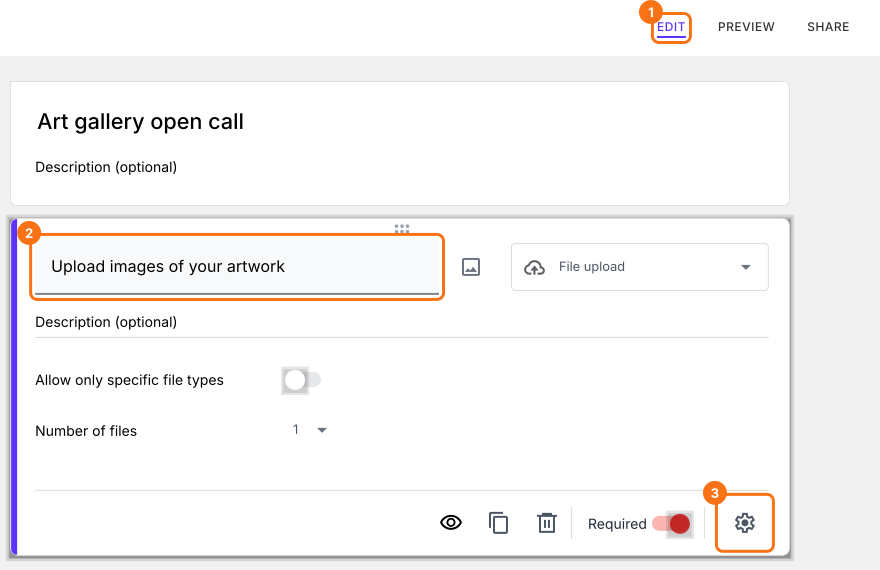
- In the Edit page, click on the file upload question, then click on the gear icon.
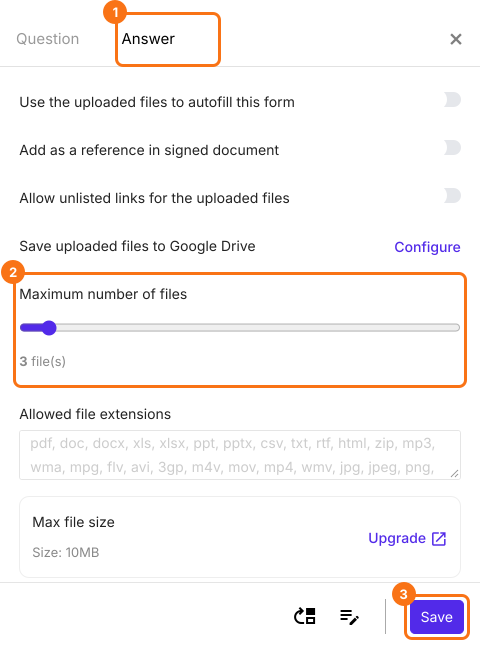
- Field settings screen will be displayed. Select the answer tab. Use the slider scale to change the maximum number of files allowed and click on the Save button.
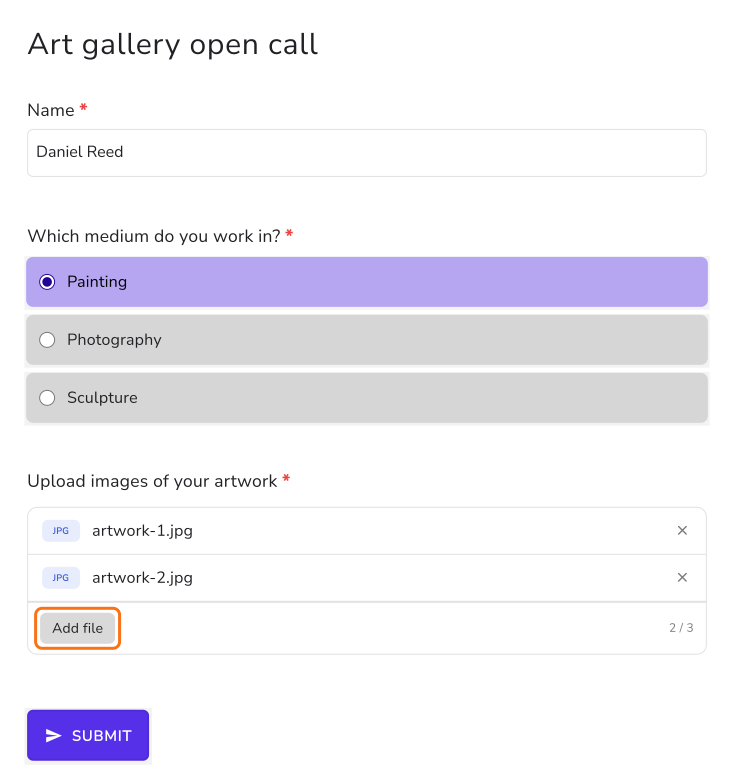
Users will be able to upload multiple files in the same file upload question. If you set the maximum number of files to 3, users will be able to upload between 1 to 3 files for a required file upload question and between 0 to 3 files for an optional file upload question.
Summary
If you want your users to upload more than one file, the file upload question in Google Forms makes them sign in to Google. With Formfacade, you set the maximum number of files for the file upload question and users can upload them without signing in. Create your form and complete the steps above.
Last updated: