How to disable the consent screen?

This is a common question from Formesign users whose form does not need an agreement. A consent screen is one more step for your users. They have filled the form and want to submit it, but they still have to stop and agree first. On a short form, this extra step only slows them down. You can disable the consent screen by updating the Submit setting using the Formesign Editor. When you customize a google form using the Formesign - Signature for Google Docs addon, the form will be automatically added to the Forms dashboard.
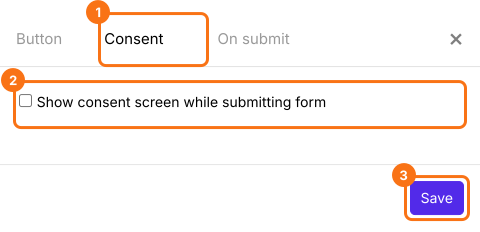
Login to Formesign > list of your forms will be displayed in the Forms dashboard > click on the form to open it > Edit page will be displayed > In the Edit page, click on the Submit setting gear icon in the After page row at the end of the form > A panel with the tabs Button, Consent and On submit will be displayed > click Consent > Uncheck the show consent screen option and click Save.
Summary
If your form does not need a consent screen, it is one more step before users can submit. With Formesign, you uncheck the show consent screen option in the Submit setting panel and users submit the form directly.
Last updated: