How to personalize the message in email notifications sent to form respondents?
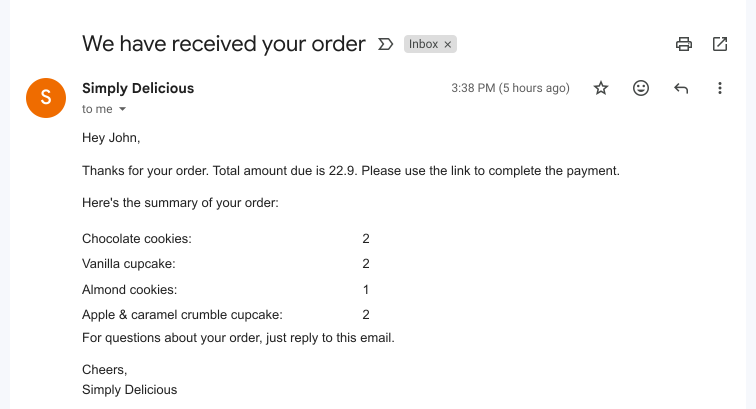
This is a common question from Google Forms users who email each person that fills their form. If every email reads the same, it feels like an automatic reply. For example, a customer expects to see their name and what they ordered. Google Forms can send a copy of the response, but you cannot add your own message or pick the answers to show. With Formfacade, you can personalize the email content by including required form fields in the message. You can also use the RESPONSE function to show all the answers submitted by the user and the BILL function to show the order summary. Your customer will see their own name and order in the email. Even better, the form will have your own branding instead of Google's, so the form and the email both sound like your business.
Let's start. Create your form and follow the steps below.
How to personalize the email content?
- On the page that opens, name your form, click Create form and click Proceed.
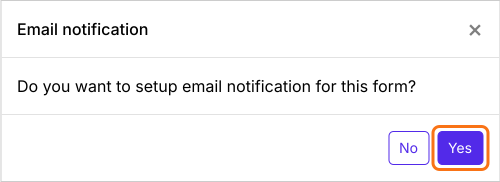
- You will land on the form's "Edit" tab, with the "Email notification" dialog open. It asks "Do you want to setup email notification for this form?". Click Yes.
- A new tab will open on the Kanban board in the "Responses" tab, with the "Email respondent" box open.
- Check the email address of the respondent and click Next
- Check the email subject and click Next
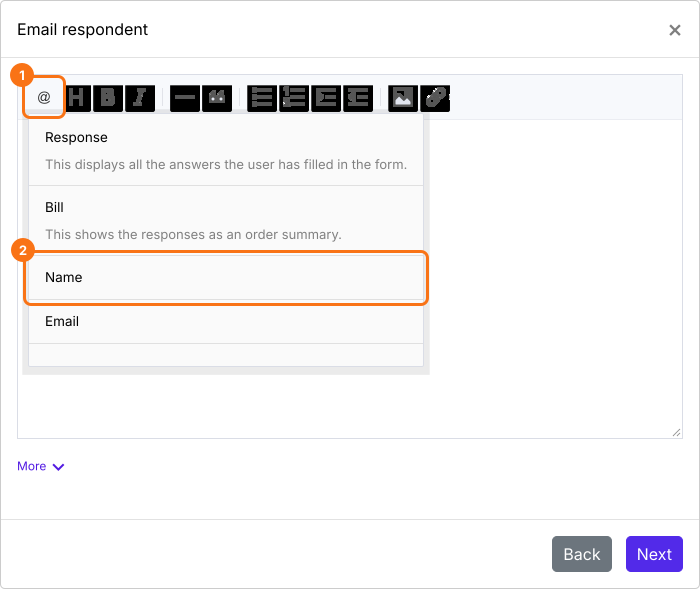
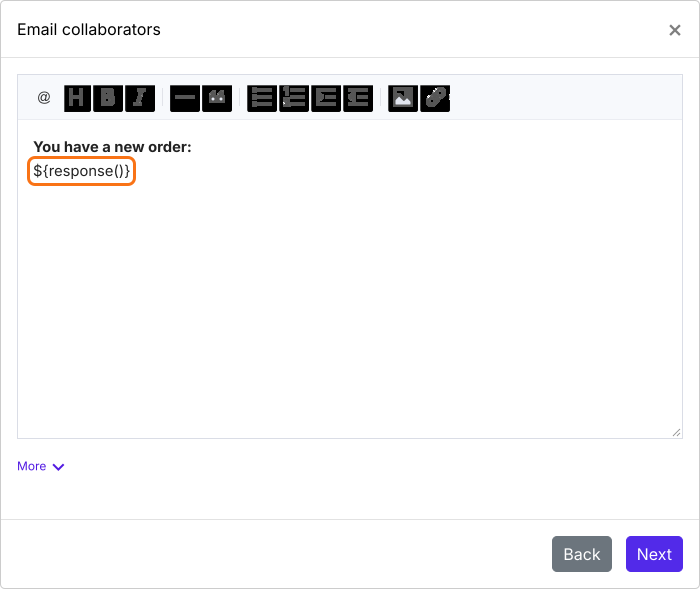
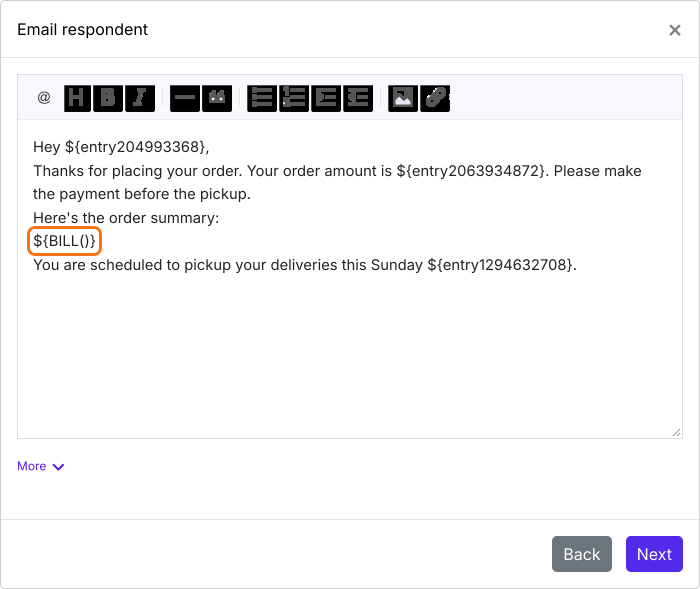
- Click Next
- Click on "Click here" to open your form in a new tab. Fill it with your own email address and submit it. If you receive the email, click on the YES button to complete email notifications setup
Summary
Last updated: