How to send a confirmation email to the form respondents?
"Trying to have google sheets send an email to form submitter based on answer."- Google Docs Editors Community
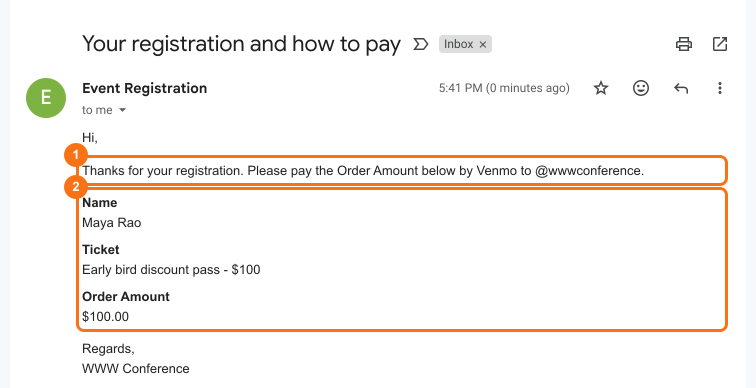
This is a common question from Google Forms users who need to follow up after a form. For example, people might register on your Google Form and need to know how much to pay and how as soon as they submit. Google Forms can email them a copy of their response, but it only holds their answers and you cannot write your own words in it. You can write a script in Sheets instead, but it is one more thing to build and look after. With Neartail, you can send a customized confirmation email with a copy of the response when a user submits the form. Each person gets their answers, the amount and how to pay you. Even better, you set it up in a wizard with no code and the subject can show each person's name and order id.
Let's start. Create your form and follow the steps below.
How to set up the confirmation email?
- On the page that opens, click "Enter your form name". Type your form's name, click Generate and wait about a minute.
- Check the outline it suggests and click Proceed.
- Once you create the form, you will land on the form's "Edit" tab.
- If it asks "Do you want to collect payment on form submit?", click No.
- Click on "Orders" tab

- Click Kanban board

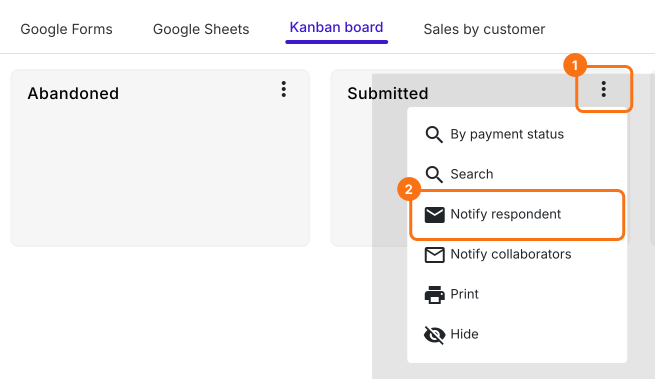
- Click on the ⋮ More icon next to the Submitted status. Click Notify respondent.
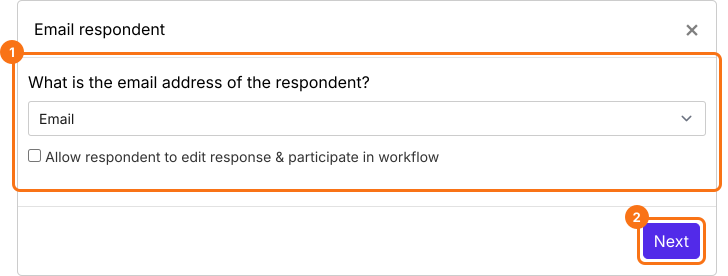
- Email notifications setup wizard will be displayed. Configure the "To" email by selecting the email address form field from the dropdown list and then click on the Next button.
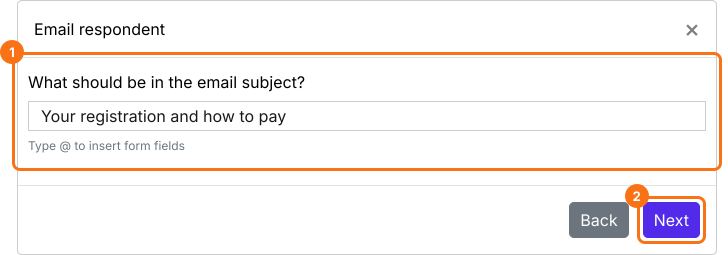
- Configure the subject line for this notification email. You can enter a simple static subject line as shown in the screenshot below or you can use the form fields such as order id, name, order amount etc to personalize the subject for each respondent. Then click on the Next button.
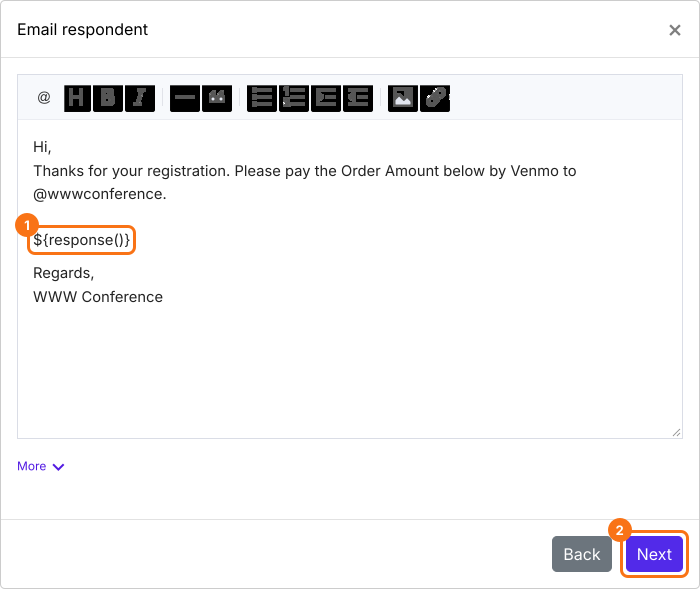
- By default, all the answers will be included in the email. You can customize this message to include other instructions. For example, you can write how to pay you. Keep ${response()}, because it adds their answers and their Order Amount. Then click on the Next button.
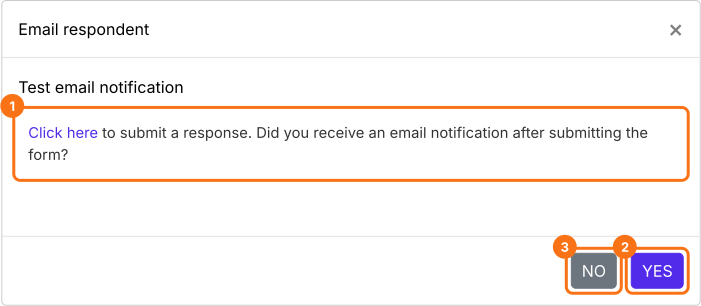
- Click on "Click here" and submit a test response to check if the email notifications are working. Use your own email address in the form, so that the email reaches you. If it works, click on the YES button. Otherwise, click on the NO button.
Summary
Last updated: