How to customize the form layout, fonts and colors?
This is a common question from people who take payment with a form and want it to look like it belongs to their business. Google Forms lets you change the fonts, the colors and the header with its theme options. But it gives you one column for every question, so a long registration form looks plain and people have to keep scrolling. With Neartail, you can customize the form layout and font styles to create a professional looking payment form. Short questions are displayed side by side, so people scroll less. Even better, the responses will be collected on your Google Forms, so you can keep syncing them to Google Sheets.
Let's start. Create your form and follow the steps below.
How to customize the form layout and fonts?
- On the page that opens, click "Enter your form name". Type your form's name, click Generate and wait about a minute.
- Check the outline it suggests and click Proceed.
- Once you create the form, you will land on the form's "Edit" tab.
- If it asks "Do you want to collect payment on form submit?", click No.

- Click on the form title, then click on the gear icon.
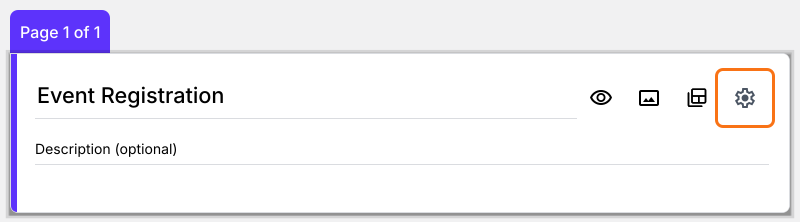
- Form settings will be displayed. Click Appearance. Select the compact or comfortable layout and click Save. You can also click Edit theme to update the font, colors and font size as well, but saving a theme restyles every live form on your account, not only this one.
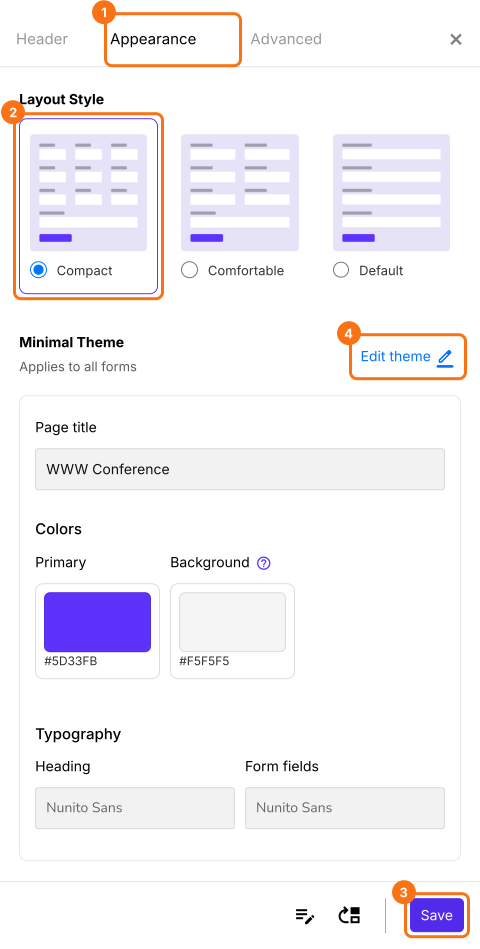
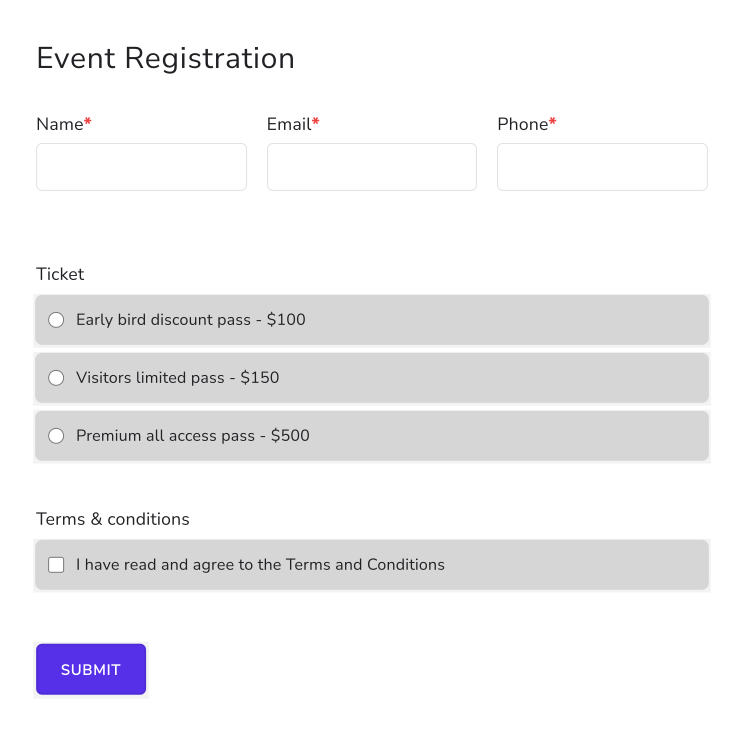
When you select a compact layout, short answer, dropdown, date questions will be displayed in a 3-column layout while multiple choice, checkboxes, paragraph questions will be displayed in a single column layout.
Summary
If your form looks plain and takes a long scroll, the theme options in Google Forms cannot change its layout. With Neartail, you select the compact or comfortable layout and update the fonts and colors and short questions are displayed side by side. Create your form and complete the steps above.
Last updated: