How to make a delivery list from your orders?
"Need to create individual customer lists of vegetable name, quantity, and price."- Google Docs Editors Community
This is a common question from vegetable sellers and small shops who deliver their own orders. For example, if customers sign up by quantity on a shared spreadsheet, you need a list for each customer before delivery day, with each vegetable's name, quantity and price. So you read across the sheet and copy each person's row by hand and one miss means a wrong box at someone's door. With Neartail, you can take orders on a form. Your customers pick their vegetables and quantities and type their address and your Sheet lists it all for each customer. Even better, you can share the Sheet with your driver, with the name, phone and address for each order.
Let's start. Create your order form and follow the steps below.
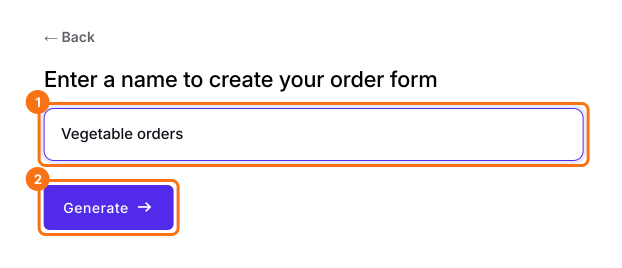
1. Name your order form
On the page that opens, click Enter your form name, type your form's name, click Generate and wait about a minute. Check the outline it suggests and click Proceed. Once you create the form, you will land on the form's Edit tab. If it asks "Do you want to preview this form?", click No. Click on each product and check its name and price, because a generated product can have no name and a price of 0.
2. Send the form in place of the spreadsheet
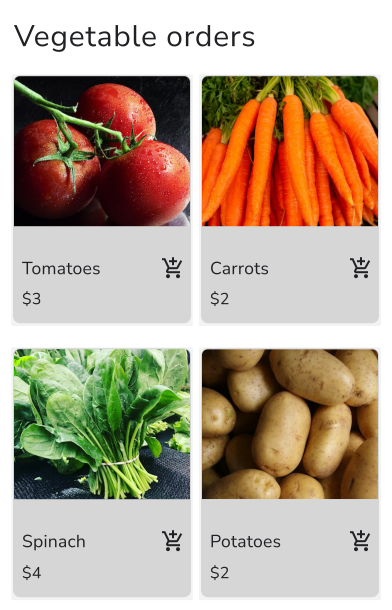
In your form, click SHARE, click Link, click Copy and send the link to your customers. They pick their vegetables and quantities and type their address.
3. Link your orders to a Sheet
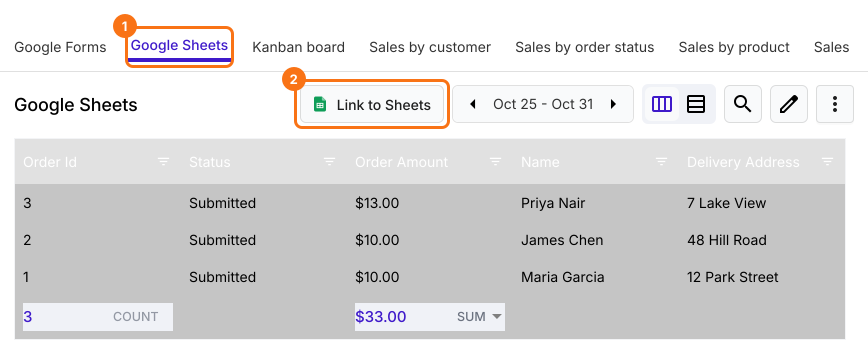
Click ORDERS, Google Sheets, then Link to Sheets. When it asks "Create a Google Sheet with all your orders?", click Proceed. When it says "Your sheet is ready and syncing has started", click View sheets. New orders are added to the same Sheet.
4. Get each customer's list
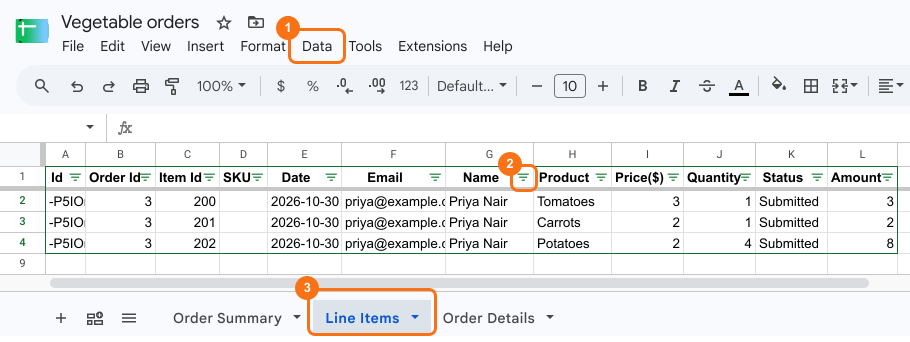
On the Line Items tab, click a cell, click Data, then Create filter view and pick a customer under Name. Create a filter does not work here, because the sheet is protected. You see each vegetable they ordered, with its price and quantity.
5. Share the delivery list with your driver
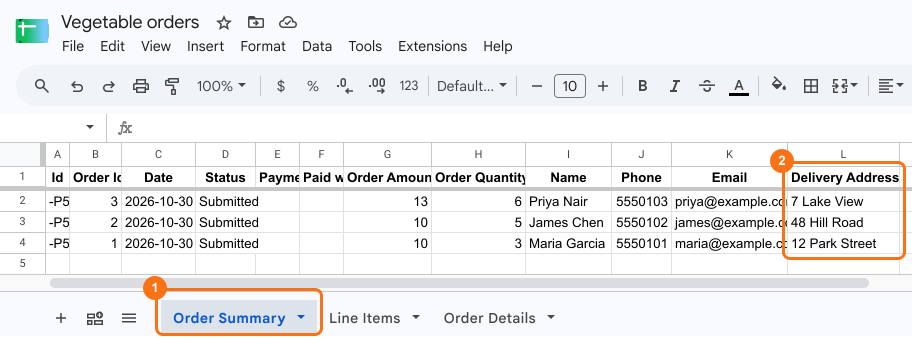
The Order Summary tab has one row for each order, with the name, phone and delivery address. A phone number typed with a + shows #ERROR there, so check those on the order in ORDERS. To sort by area, click Data, then Create filter view here too and sort by Delivery Address. Click Share and add your driver's email.
Summary
If you copy each customer's row by hand before delivery day, one miss means a wrong box at someone's door. With Neartail, customers order on a form and your linked Google Sheet lists each customer's vegetables, quantities and prices, ready to share with your driver. Create your order form and complete the steps above. If you have any questions, write to support.
Last updated: